The latest version of the legendary Primatte, PrimatteAI. The most noticeable improvement is the new automation function that uses the state of the art machine learning technology. But, it also incorporates variety of attractive features for VFX professionals…
Mask should be always there
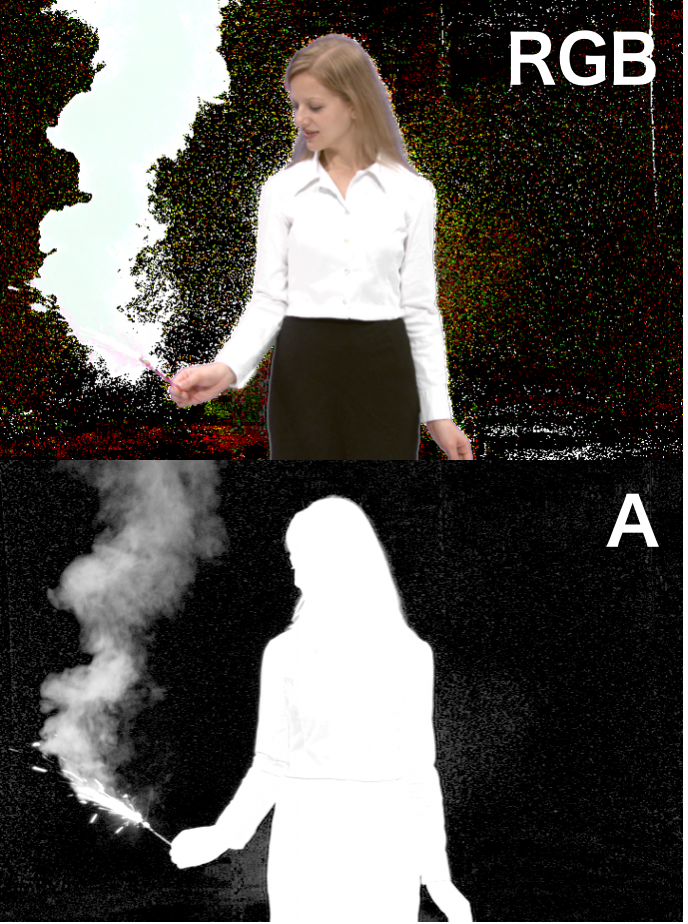
Visual effects workflows are getting more and more complex. We seldom accomplish the work just by composite the green-screen shot with the background. Even if you succeeded to get good composite of ultra fine hair detail or thin transparent smoke using some technologies like a conventional keyer, you frequently need to use the mask image to do some additional work such as partial color correction, multiple layer composite, etc. The older version of sparkPrimatte only exports the composite result. It has the mask output option but the node can have only one output. The new ofxPrimatteAI can export the processed foreground and the mask output at the same time from one node. You can use the RGBA output in your subsequent post processing workflow.
Mixer Mode
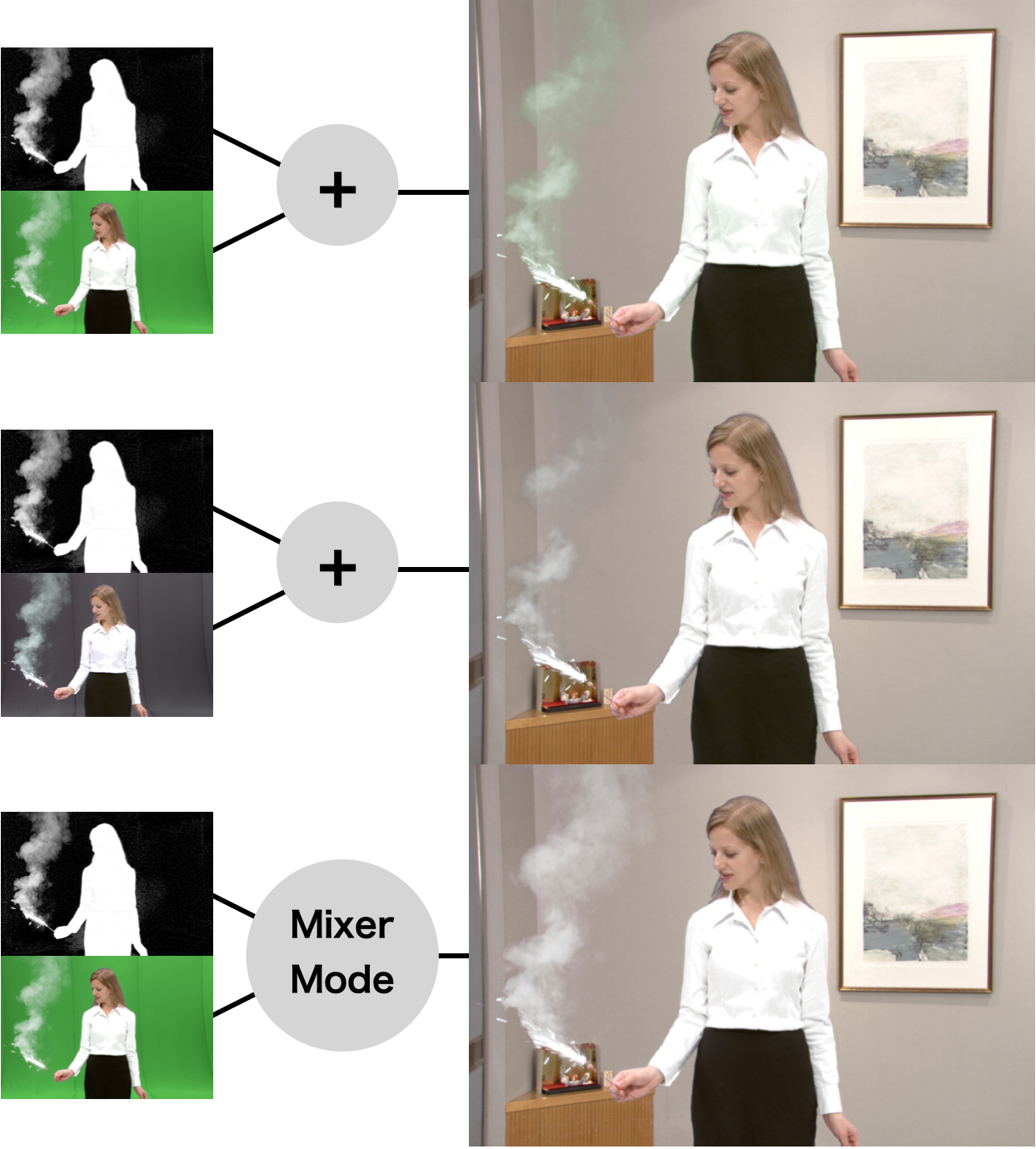
Some large-scale VFX projects involve many post houses to organize the media supply-chain. Sometimes you might need to perform the composite from the supplied mask. If you did an alpha-composite with the original green screen and the mask, you will see green spill in the semi-transparent pixels. If you applied green cancelling to the original green screen, you still noticed that the fine detail would be lost. Using the new Mixer Mode, PrimatteAI does not generate the mask but just process specialized composite with the externally loaded mask. If you got the mask image and the original green / blue screen image, you can get the excellent composite that keeps the fine hair detail or thin semi-transparent object.
Utilize of Clean Plate
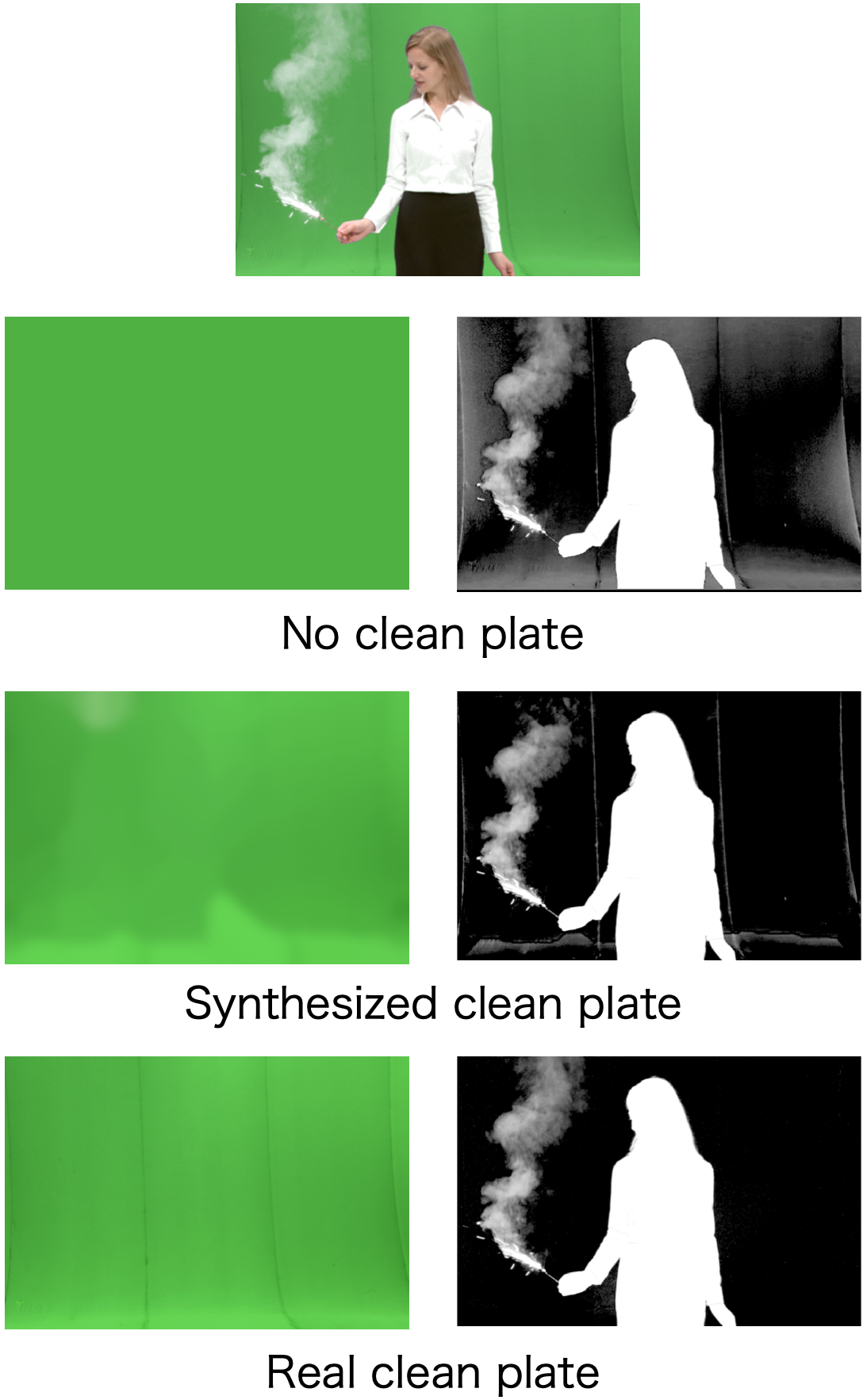
The conventional Primatte tried to remove the noise in the back screen by expanding the color region that would be regarded as the screen color. The famous "Clean BG Noise" is the mode to select such color. If you wanted to maintain the fine hair detail as much as possible, you need to keep the screen color region very small. As the trade off, you should notice the noise in the screen area. Many users compromise the screen noise and later conceal the noise in the post node with some garbage mask. Sometimes users need to prepare two or more Primatte nodes that has slightly different parameter and patch them later by picking the best parts. PrimatteAI always uses a "clean plate", the green / blue screen shot without foreground object. Primatte internally generates and uses the synthesized clean plate. By using the clean plate, PrimatteAI can do the keying at each position of the foreground according to the backing color that is close to the each area. If you want to use more accurate clean plate, you can feed the real clean plate to the External Clean Plate hand of the node. You can also use third party clean plate generator.
The Spherical Relief Patch
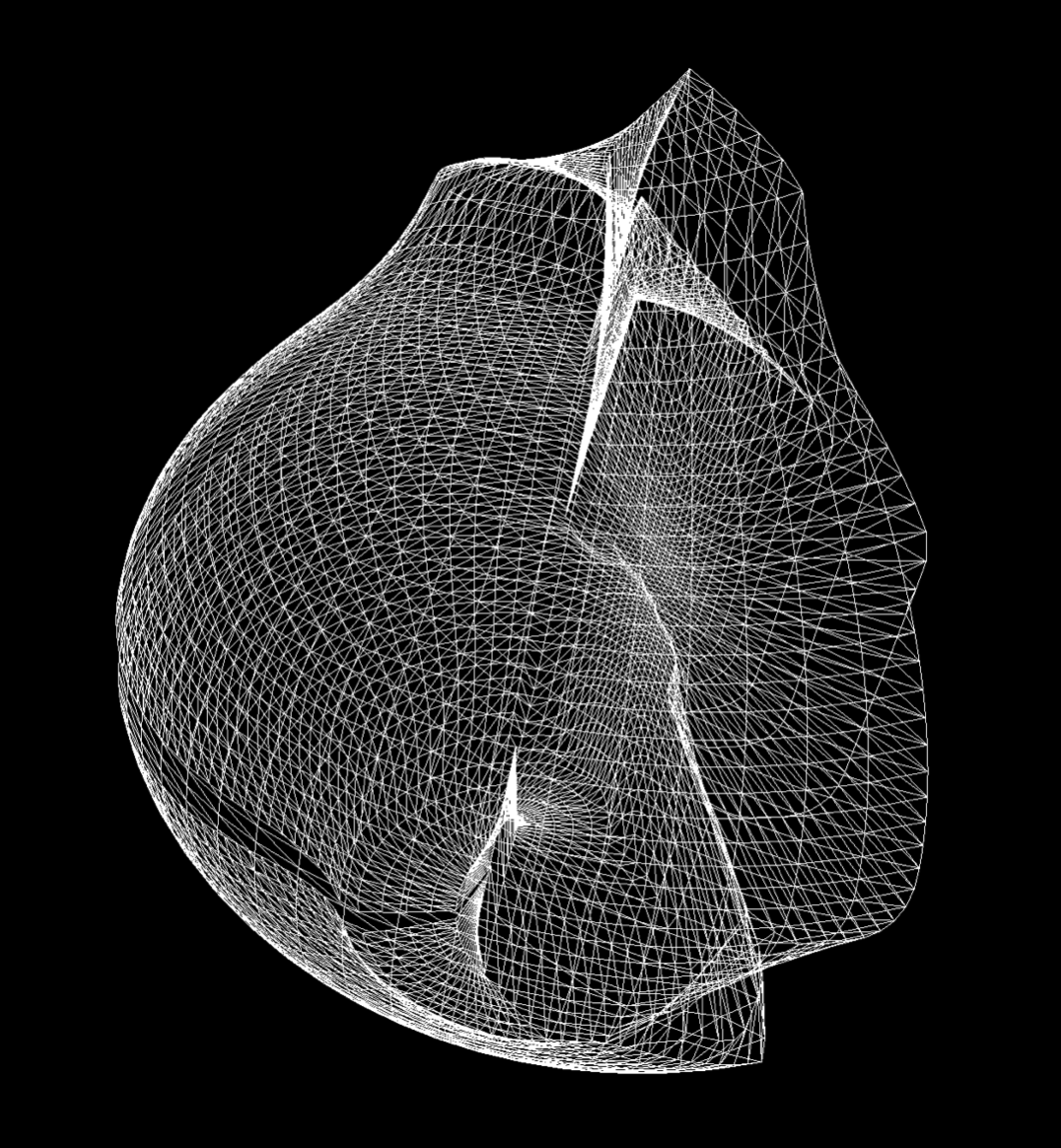
Both Primatte and PrimatteAI process the green / blue screen images in 3-dimensional RGB color space. Both use imaginary separating surfaces that categorize the foreground color distribution from the other portion to generate mask. The conventional Primatte employed 128-facet polyhedron. The new PrimatteAI uses more flexible shape called Spherical Relief Patch to support more complex distribution of the foreground colors. The Spherical Relief Patch is a mesh-like closed 3D object that comprises more than 60,000 small polygons and can have smooth and flexible bumps that fit closely to the foreground color distribution. For example, if the foreground had dull pinkish red and vivid pure red, PrimatteAI works better than Primatte.